 FlowDot
Don't trust raw AI outputs—trust workflows that humans thoughtfully designed, tested, and refined. Build structured, repeatable processes with visual programming, chat about results with any LLM, and let AI assist you. Deploy as dashboards, execute from CLI, or trigger via webhooks. Share publicly or keep private.
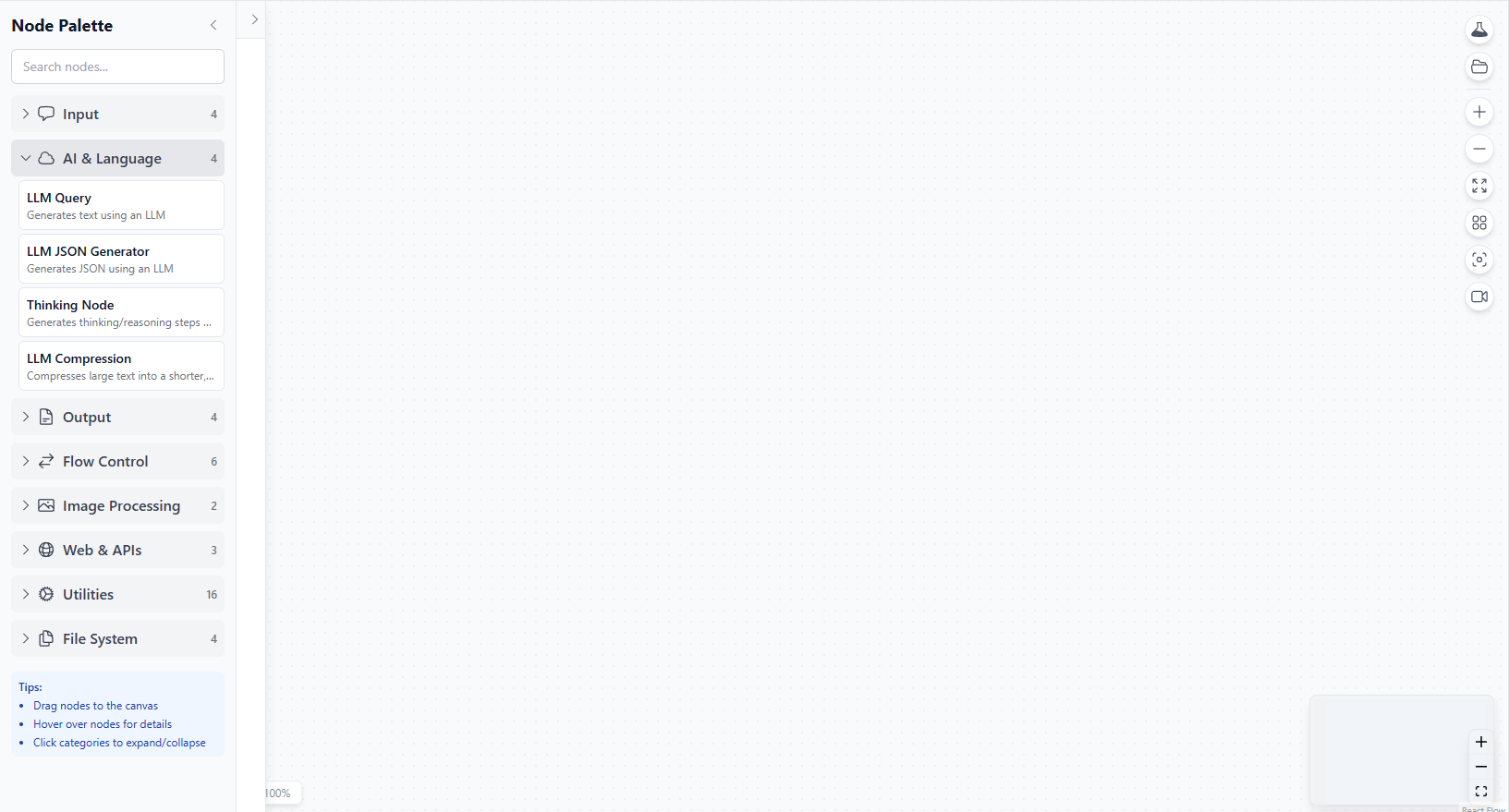
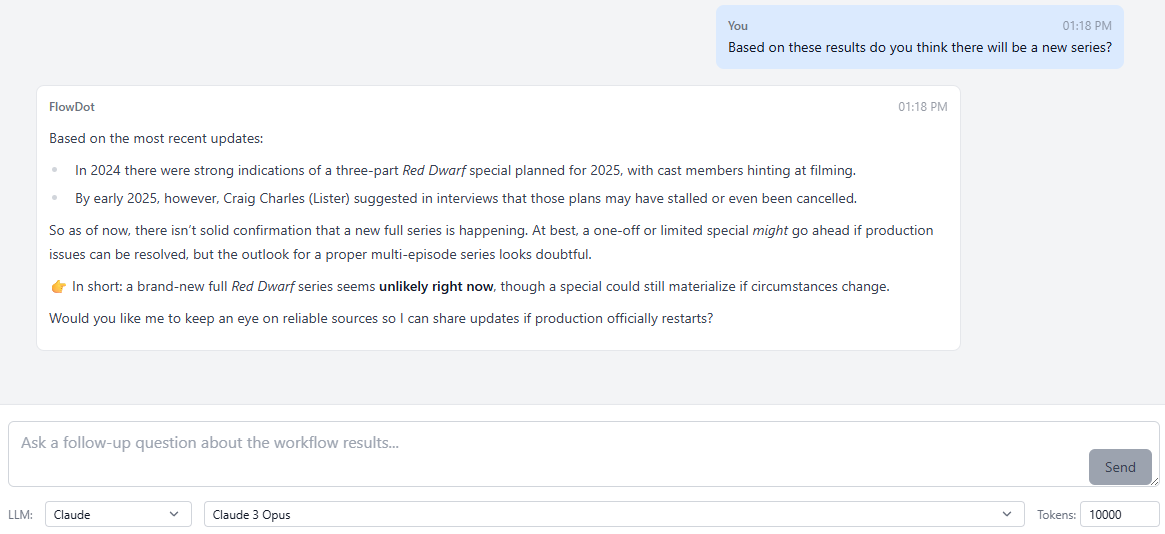
FlowDot's revolutionary dual-interface design lets technical users build powerful workflows while providing end users with simple, intuitive dashboards.
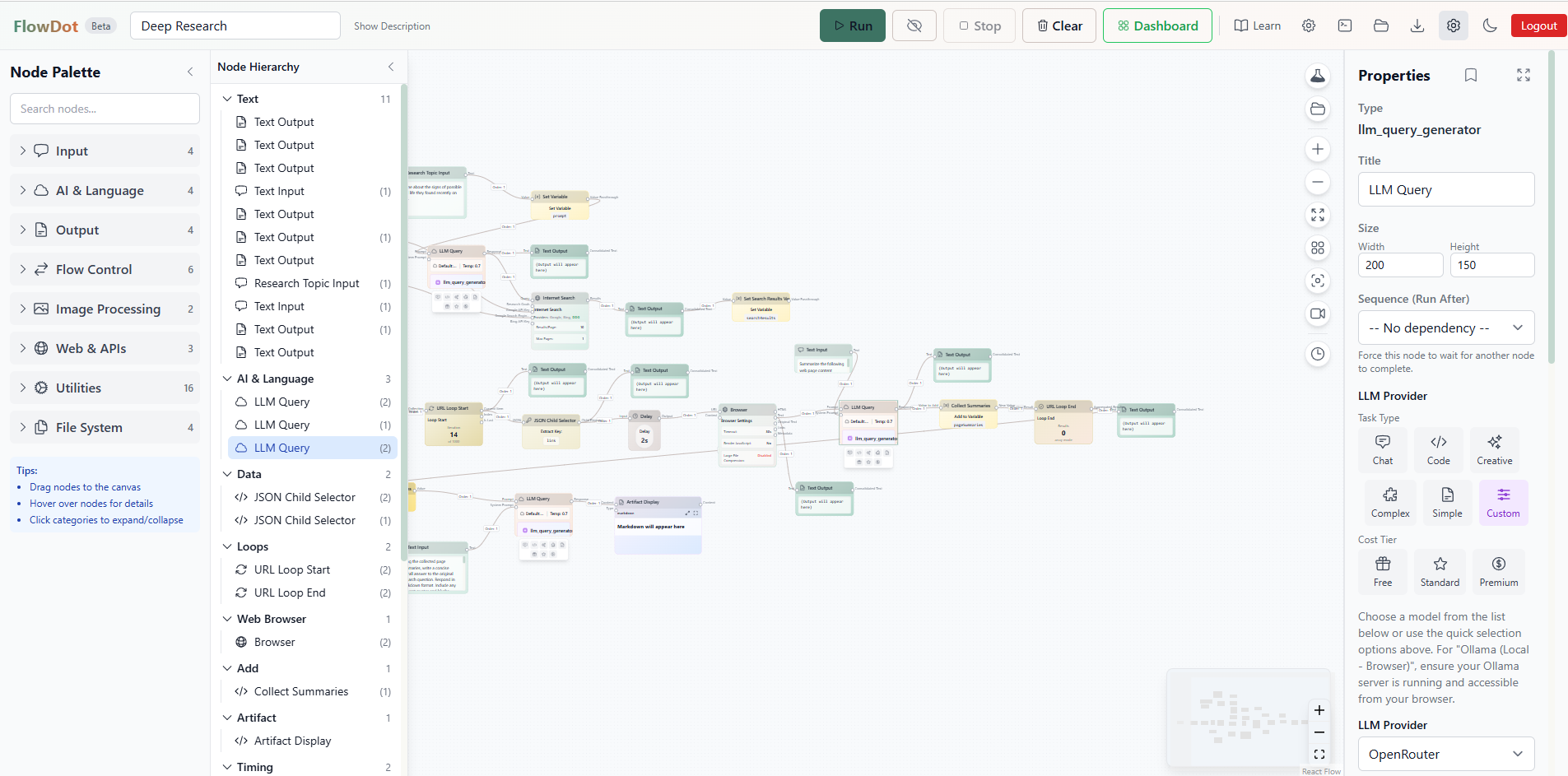
Advanced visual programming interface for creating sophisticated AI workflows with professional-grade features.
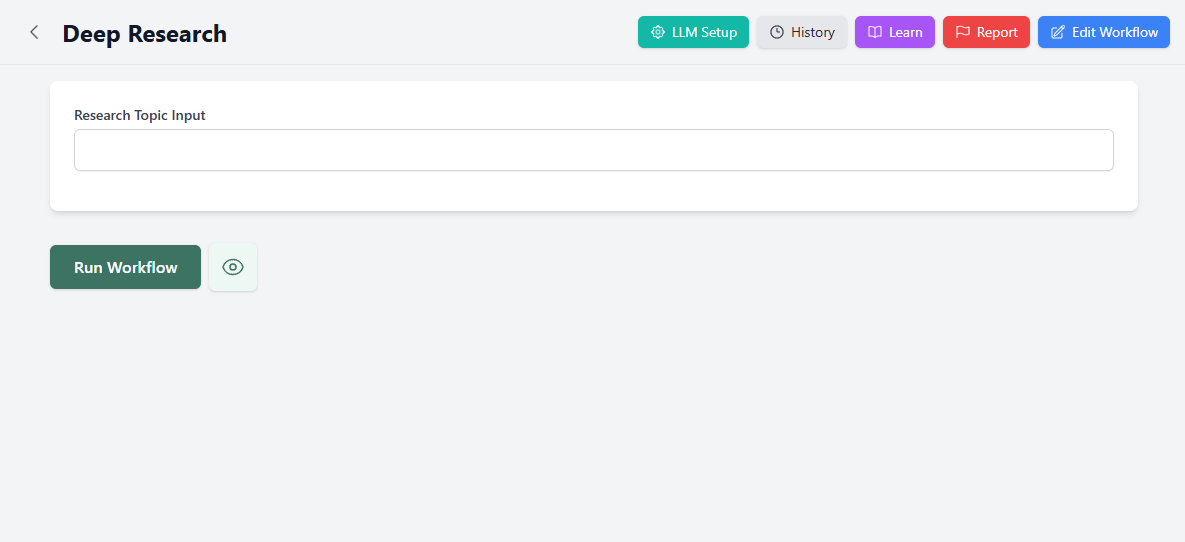
Clean, intuitive interface that makes complex AI workflows accessible to anyone, regardless of technical background.
We believe AI should amplify human intelligence, not replace it with unreliable outputs.
Raw AI outputs are unreliable and inconsistent. FlowDot lets you build human-designed workflows—structured processes that produce repeatable, trustworthy results. It's not AI slop, it's AI with human intelligence built in.
When OpenAI or Google add features like "thinking" or "research," you can't see how they work. With FlowDot, every workflow is completely visible—copy it, modify it, learn from it, and share improvements with the community.
The community will innovate faster than any lab. Someone will invent the next breakthrough AI technique using FlowDot—and everyone benefits immediately. You don't wait for OpenAI to innovate. You are the innovation.
FlowDot combines cutting-edge AI capabilities with intuitive design, creating the most advanced yet accessible workflow platform available.
After any workflow execution, start a conversation with any AI model about the results. Ask follow-up questions, get explanations, dive deeper into insights, or request modifications - all using your preferred LLM provider.
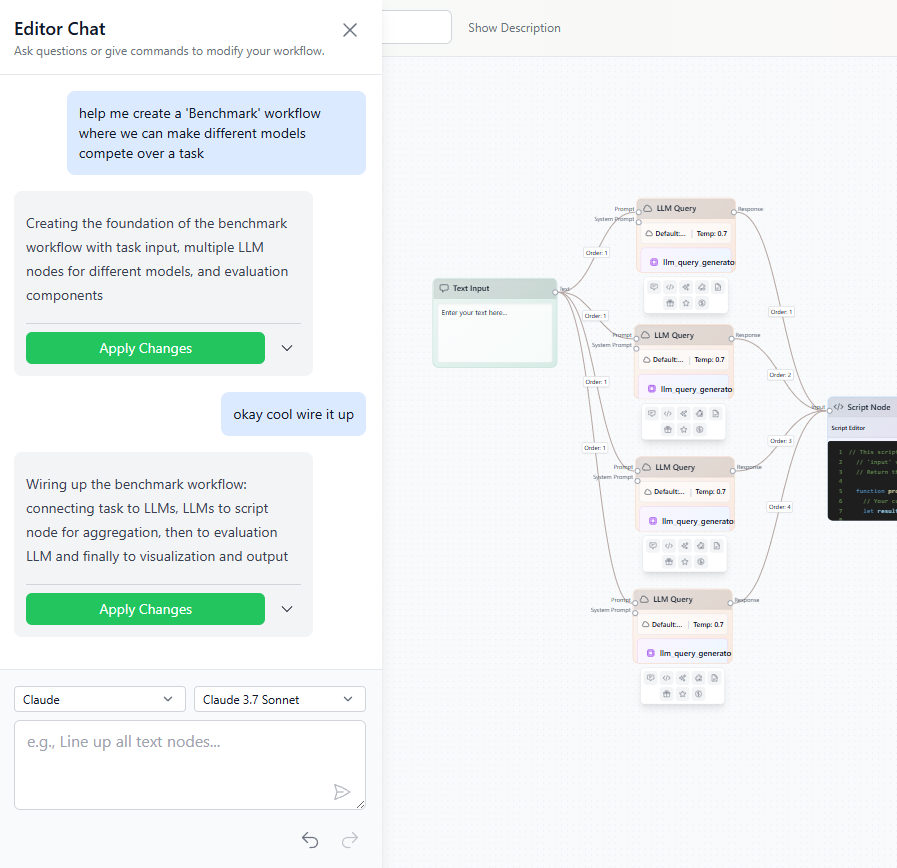
Revolutionary AI assistant that can actually build workflows for you. Describe what you want, and watch as it creates nodes, configures settings, connects them together, and explains its reasoning. The first truly conversational workflow editor.
Revolutionary design where technical users build sophisticated workflows in the visual editor, while end users interact through beautiful, automatically-generated dashboards. Same powerful workflow, two completely different experiences.
Seamlessly switch between OpenAI, Claude, Gemini, OpenRouter, and local Ollama models. Use different providers for different tasks within the same workflow - premium models for complex reasoning, local models for privacy.
Unlike other AI tools, FlowDot maintains separate conversation histories for each workflow execution. Continue discussing results, ask follow-up questions, and maintain context across multiple sessions.
Watch your workflows execute in real-time with live progress tracking, node-by-node status updates, and detailed execution logs. Advanced debugging tools help you optimize performance and troubleshoot issues.
Share your workflows with the world by making them public, or keep them private for personal use. Browse and discover workflows created by other users to learn new techniques and get inspired.
Run AI models locally with Ollama integration for complete privacy and cost control. Mix local and cloud processing in the same workflow - use local models for sensitive data and cloud APIs for complex tasks.
50+ specialized node types including LLM queries, image analysis, data processing, file operations, and advanced control flow with loops and conditions. Professional visual programming capabilities rivaling enterprise tools.
Connect with leading AI providers and switch between them instantly. Use the best model for each task within the same workflow.
GPT-4, GPT-3.5 Turbo, and more
Claude 3.5 Sonnet, Haiku, Opus
Gemini Pro, Flash, Ultra
Access to 100+ models
Privacy-first local processing
Expanding integrations
FlowDot introduces groundbreaking AI conversation capabilities that revolutionize how you interact with workflow results and build new workflows.
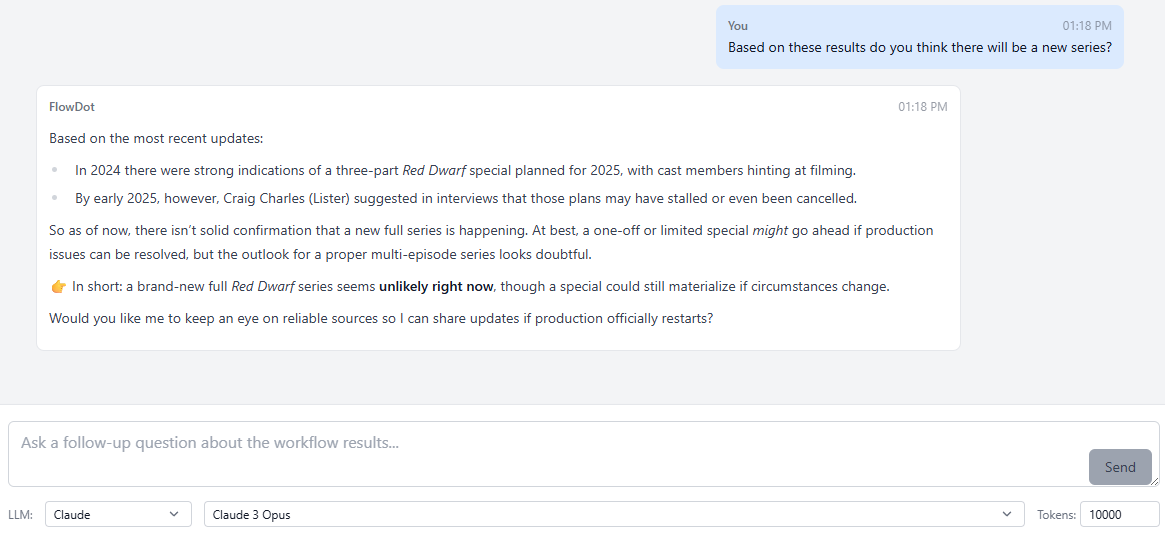
After any workflow execution, instantly start a conversation with any AI model about your results. Unlike other platforms, each workflow maintains its own conversation history.
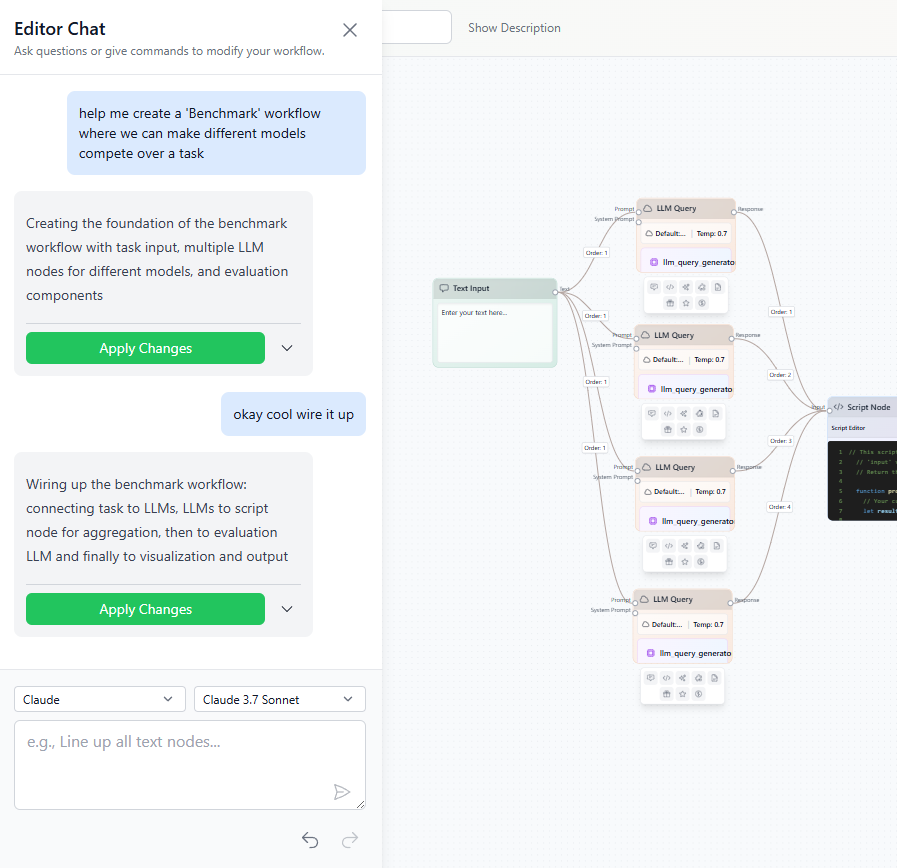
World-first conversational workflow editor. Describe what you want, and watch our AI assistant create nodes, configure settings, connect components, and explain its reasoning.
FlowDot workflows don't live in isolation. Trigger workflows from external events and make your workflows take action across all the platforms you use.
Set up webhooks that automatically run workflows when events happen in external platforms. GitHub push? Discord message? Figma file updated? Your workflows respond to the real world.
Your workflows don't just process data—they take action. Post to Discord, update Jira tickets, commit to GitHub, comment on Figma files, send Slack messages, create Trello cards.
Discord, Slack, GitHub, Figma, Jira, Trello, and more. New integrations added constantly. FlowDot becomes the bridge between all the tools you use every day.
Execute workflows from anywhere—scripts, CI/CD pipelines, cron jobs, or your terminal. No GUI required.
The FlowDot CLI brings workflow automation to your terminal. Authenticate once, then run any workflow with a simple command.
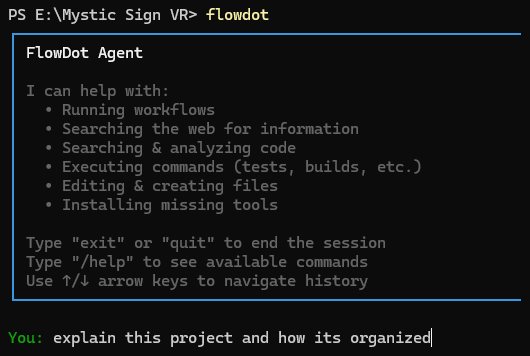
Whether you prefer a visual editor, web dashboard, or command line—FlowDot meets you where you are. The same powerful workflows work across all interfaces.
Don't wait for us to add features. Build what you need today with custom APIs, JavaScript scripting, and unlimited extensibility.
Write arbitrary JavaScript code within your workflows. Transform data, implement custom logic, call external APIs—if JavaScript can do it, your workflow can do it.
Call any HTTP endpoint from your workflows. Connect to proprietary APIs, internal systems, cutting-edge services, or legacy platforms. If it has an API, FlowDot can talk to it.
Need a feature that doesn't exist yet? Build it yourself with custom nodes and scripts. Users often implement new capabilities faster than we can. That's not a bug—it's the philosophy.
Share workflows internally, collaborate on development, and empower your entire organization with AI automation.
Create shared workspaces where your team collaborates on workflow development. Share knowledge, distribute automation, and scale your organization's AI capabilities.
Keep workflows private within your team or make them public to share with the world. Full control over who sees and uses your automation.
Full execution logs, encrypted credential storage, and comprehensive audit trails. Enterprise-grade security for sensitive workflows and data.
Make your workflows public to share with others, or discover and learn from workflows created by the community.
Join thousands of creators building the future of AI automation. Start creating powerful workflows in minutes.
Start Building for Free